
Ecosystem
designing interconnected services

🤖 This summary has been created with AI

The messaging chat I’ve worked on is part of a larger ecosystem, so understanding its connections to other services is essential for creating a seamless user journey. Collaboration with different teams is key to handling dependencies and designing solutions that fit into the broader experience.

  • Considered dependencies with other services like notifications and storage
  • Collaborated across teams to prevent system failures and ensure smooth integration
  • Focused on ensuring technical feasibility and cross-device usability

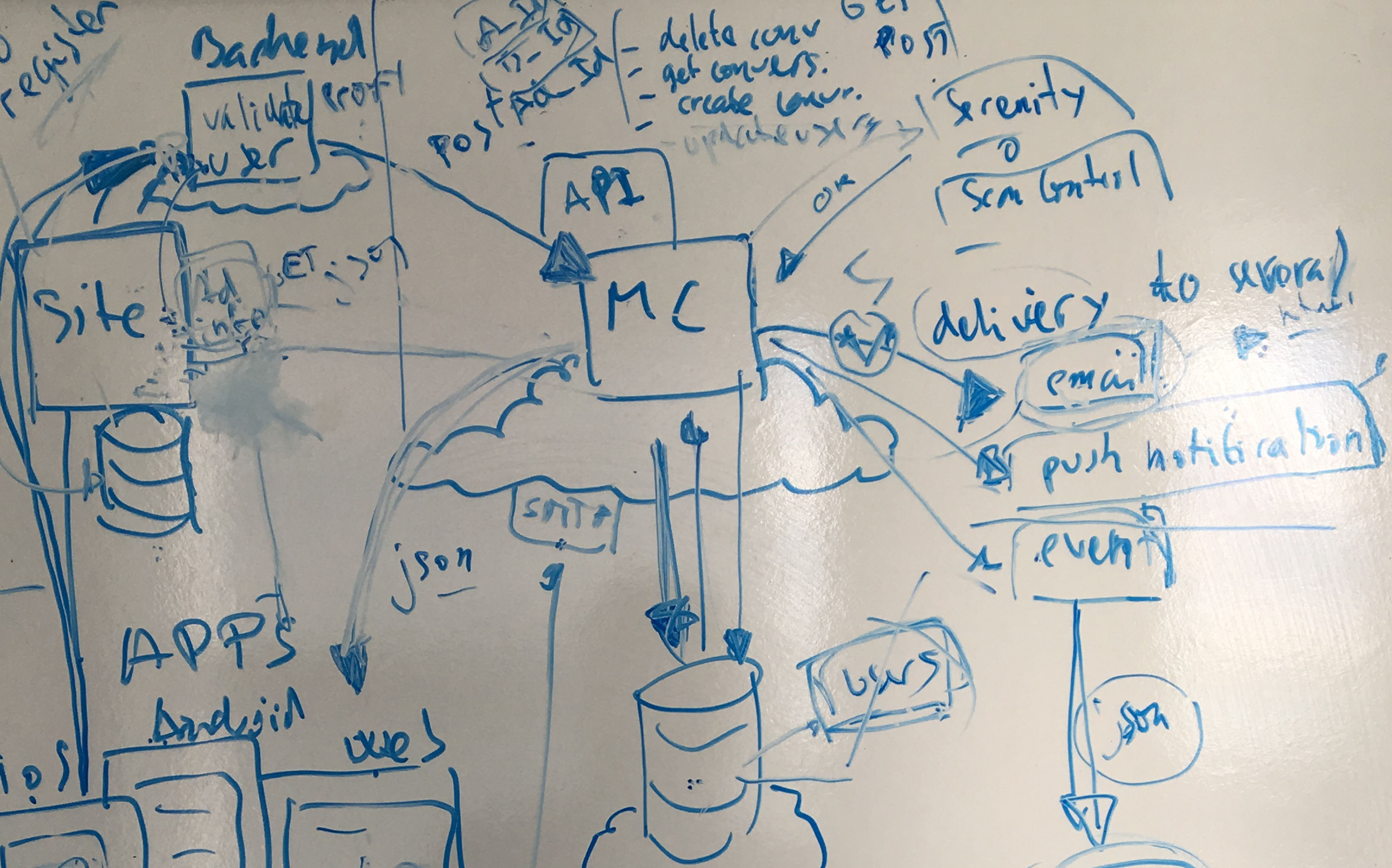
The messaging chat solution (to pick the product I invested the most time over the years) does not function in isolation; it relies on several other services for content moderation, email and push notifications, attachment storage, and more. In the context of a second-hand marketplace, the chat is just one part of a broader user journey. Understanding where users come from and where they’re headed next is crucial when designing any feature, ensuring it fits seamlessly into the overall experience.

This interconnection of services adds a layer of complexity not typically found in stand-alone products, but it also presents a valuable opportunity to collaborate with teams across the organisation. To design a robust solution, it’s essential for me to understand these dependencies, whether they’re minor issues resolved with a quick question in a meeting, or critical elements that require close cross-team collaboration to prevent potential system failures.

Addressing these dependencies has been a key part of my workflow when designing new solutions or adapting existing ones. I consistently consider questions such as: What technologies and platforms are available? Can users access the chat across different devices? How can I integrate user interactions from other services? Is there a component we can reuse? These considerations help ensure that the solutions I design are both technically feasible and aligned with the broader ecosystem.

Tag cloud

ecosystem chat services interconnection components cross-team collaborations ideation design system design process consistent ux MPV moderation product design

Profile preview in chat / Confirm sharing personal details / Conversation alert

Design Systems

🤖 This summary has been created with AI

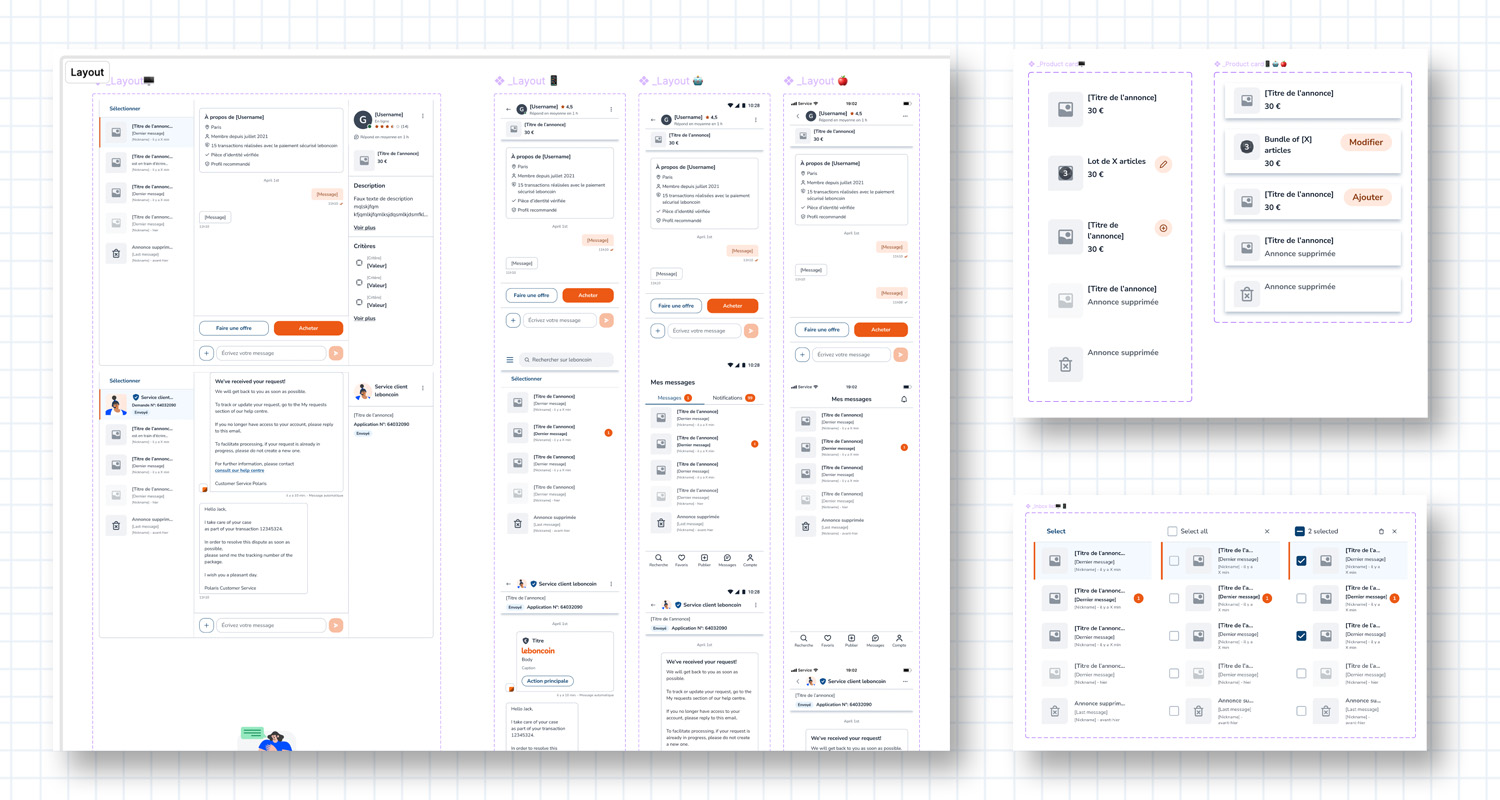
When I joined Schibsted/Adevinta, there was no unified design system, so I created a flexible white-label component library for the Messaging product. This helped integrate seamlessly into any local system, and proved invaluable when transitioning from Sketch to Figma.

  • Developed a white-label component library for easy integration
  • Collaborated with DesignOps to ensure smooth local system integration
  • Facilitated a seamless transition from Sketch to Figma for designers and developers

When I joined Schibsted/Adevinta, there was no unified design system for user-facing products, each marketplace had its own branded system. For the Messaging product, I developed a flexible white-label component library that could be easily integrated into any local design system. I collaborated with various DesignOps teams to ensure all necessary elements were provided for smooth integration into their libraries.

As the organisation transitioned platforms, from Sketch to Figma, this white-label approach proved invaluable. It allowed me to migrate components efficiently, enabling designers and developers to quickly adapt their local versions without disruption.
Chat platform mockup for Android / iOS / Web

Consistent UX

🤖 This summary has been created with AI

When I started as UX Lead Designer in 2019, the Messaging platform lacked consistency across devices. I led a project to unify the experience, working closely with engineering to ensure a seamless, cohesive design across Android, iOS, and Web.

  • Focused on unifying the user experience across platforms
  • Collaborated with engineering to align on user flows and interaction patterns
  • Provided PRDs and prototypes for clarity and feedback during implementation

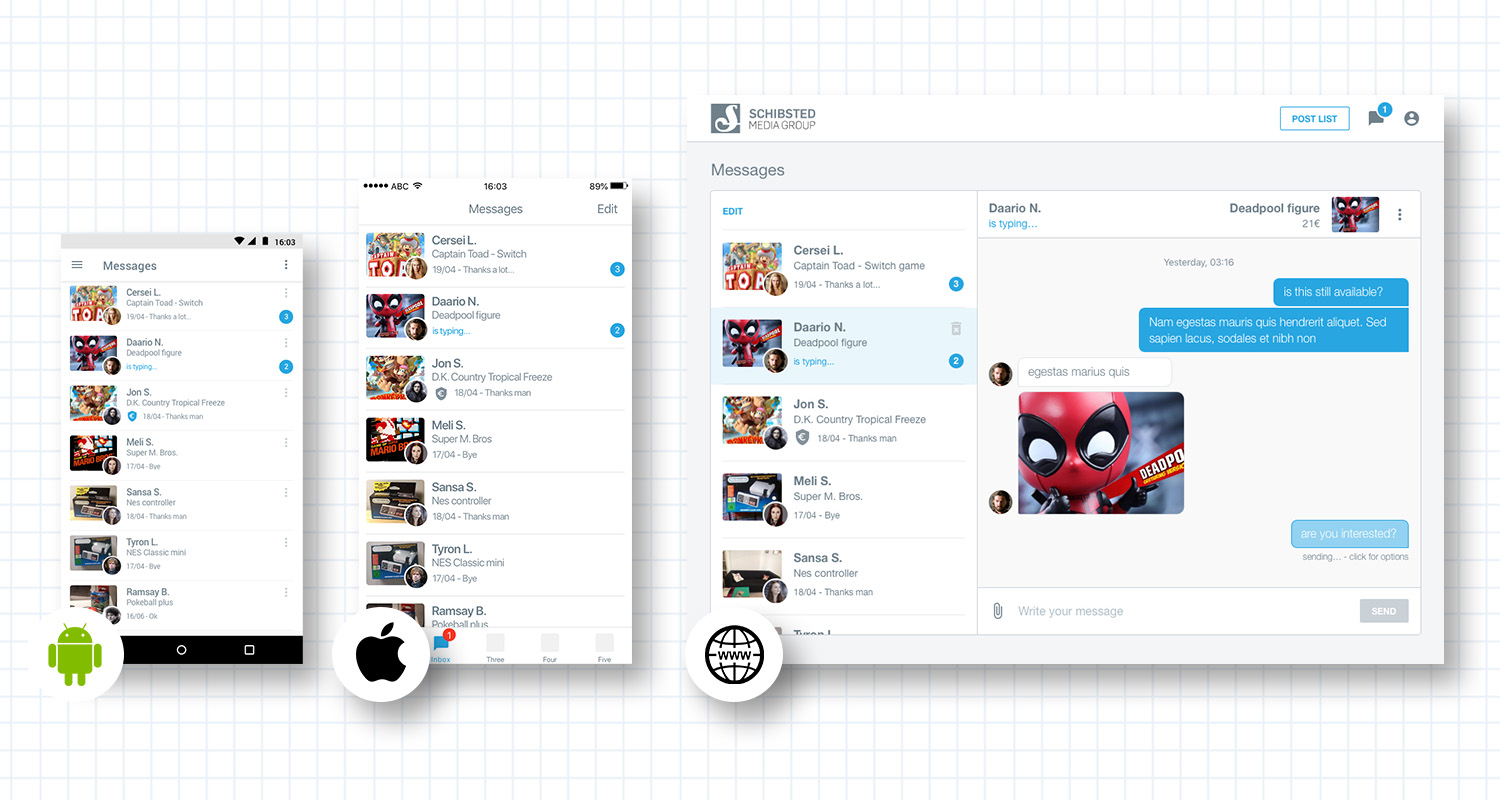
When I took on the role of UX Lead Designer for the chat platform (beginning of 2019), the user experience across platforms lacked consistency. Consistency is essential in digital product design, it builds trust, reinforces a cohesive product identity, and enables users to switch seamlessly between devices (Android, iOS, Web) while maintaining a familiar experience. Elements such as branding and tone of voice provided by local marketplaces further strengthen this coherence.

To address the inconsistencies in Messaging, I started a dedicated project focused on unifying the experience. I worked closely with engineering teams to align on user flows, interaction patterns, and platform-specific constraints, ensuring the solution felt cohesive across all touchpoints. I provided detailed PRDs, including visual prototypes to clarify interactions, and remained actively involved during implementation to offer feedback when needed.


Building a marketplace with components

Products and components

🤖 This summary has been created with AI

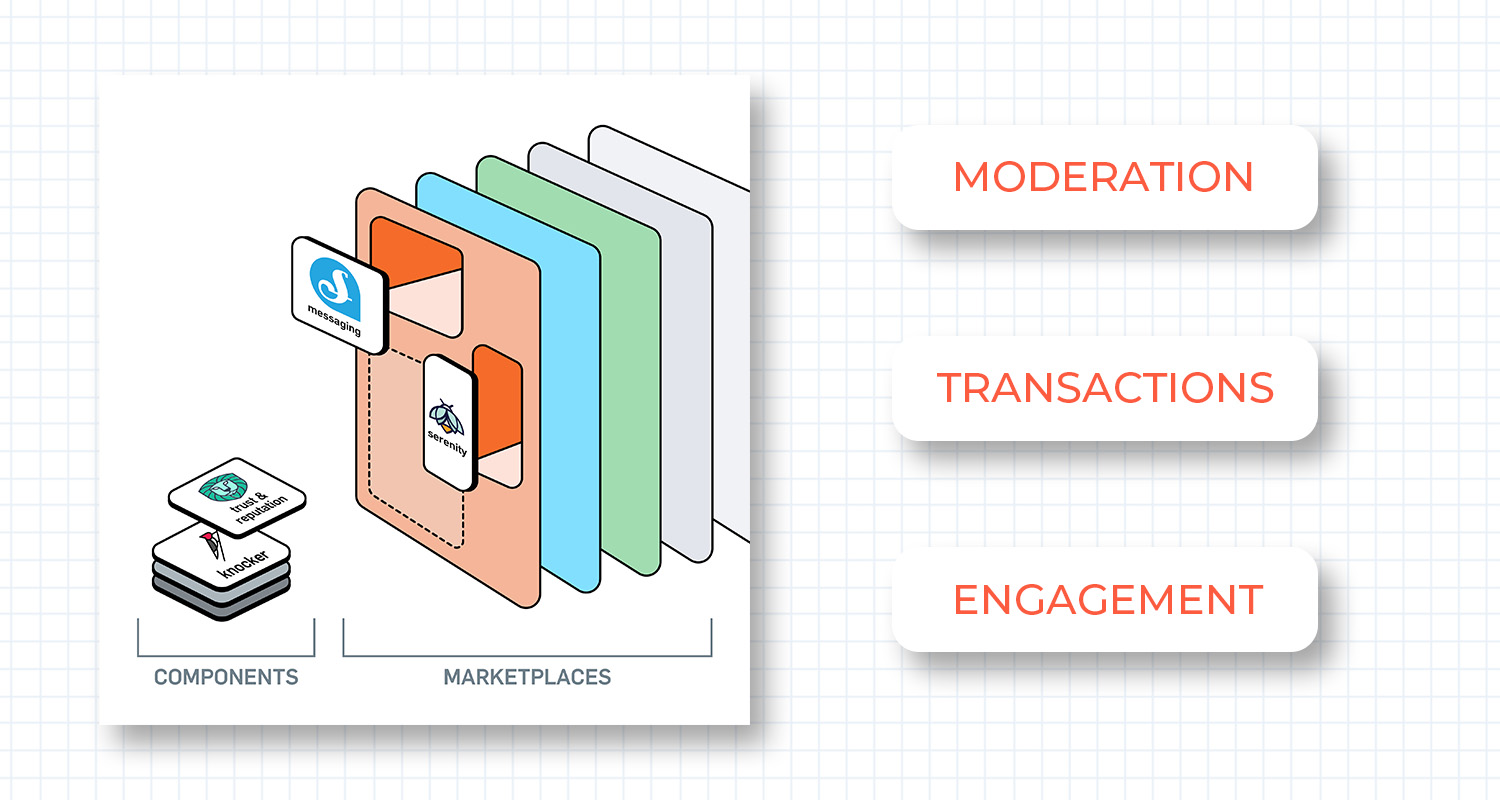
Chat within a marketplace isn’t isolated; it connects to multiple services like content moderation, user profiles, and transaction flows. I focused on ensuring these systems worked seamlessly together while keeping the user experience transparent.

  • Integrated chat with content moderation, profiles, and transaction flows
  • Ensured real-time message status and triggered notifications
  • Addressed how to communicate rejections (e.g. failed moderation) back to users

As mentioned at the beginning of this use case, chat within a marketplace platform is just one part of a broader user journey, it does not operate in isolation. This means our product must seamlessly connect with and support other services in a way that feels transparent to users. Features such as content moderation, access to user profile information, integration with transactional flows (both online and offline), and the attachment and storage of media files all occur while users are actively exchanging messages.

For example, sending a simple text message involves multiple systems working together. The content (or attachment) must first be moderated, the message status needs to update in real time (e.g. sending, sent, read), and push notifications and emails must be triggered for the recipient.

Moreover, these systems can generate outcomes such as a message being rejected if it fails moderation. This raises an important question: how do we collect this information and communicate it clearly back to the user?


Ideation / Final interface

An example: Quality Gate

🤖 This summary has been created with AI

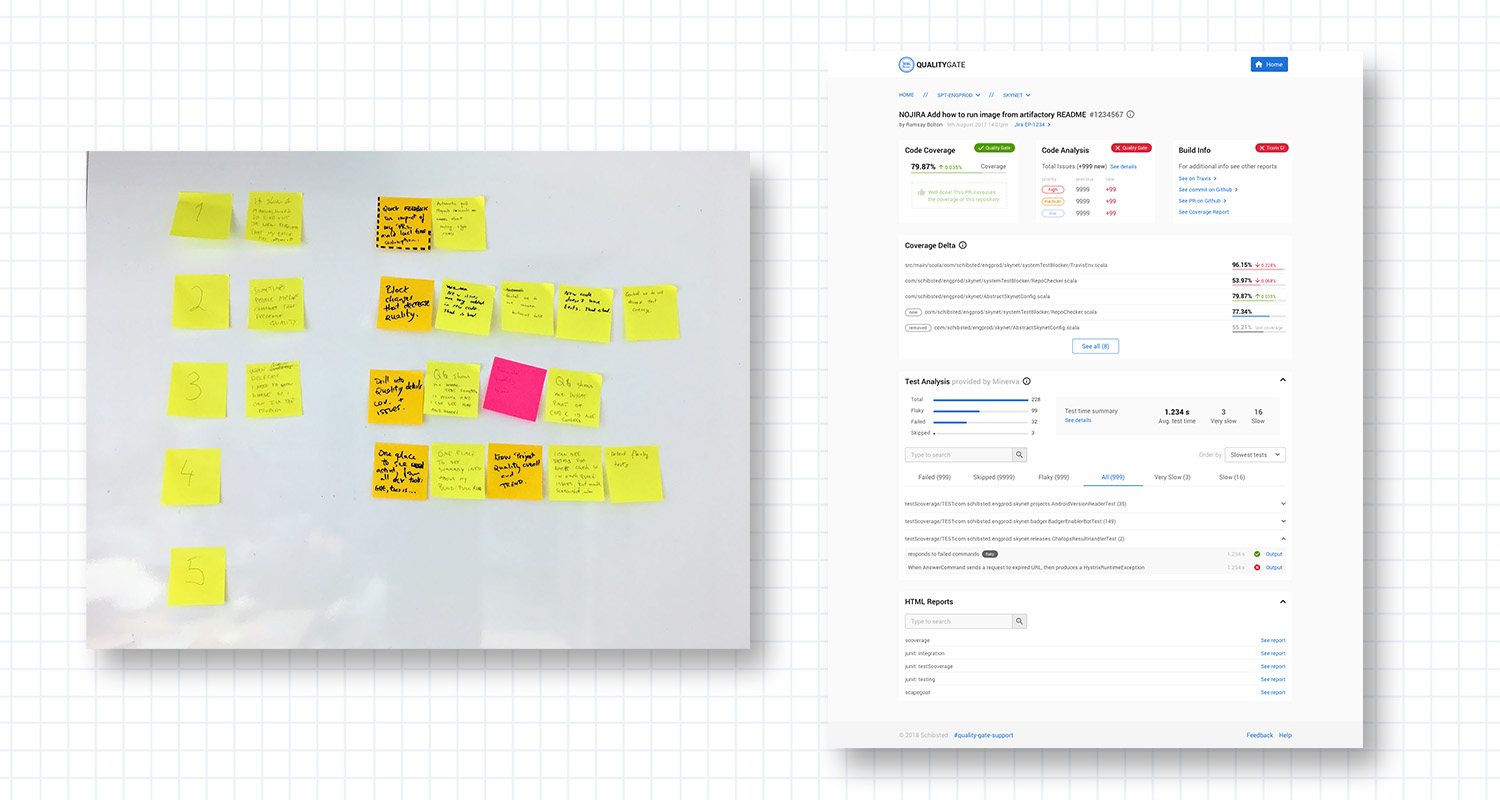
One of my first projects was developing Quality Gate, a platform centralising insights for engineers to evaluate the quality of code across multiple repositories. After conducting research, we created an MVP that pulled data into a central dashboard, helping engineers identify issues and improve their code.

  • Centralised code quality insights from various systems
  • Personalised dashboard for each engineer
  • Iterated with more engineering platforms for deeper insights

Quality Gate was one of my first projects at Schibsted/Adevinta, and I believe it’s a great example of how to integrate an ecosystem of platforms within a digital product. The goal was to centralise the insights engineers need in their day-to-day work by providing a simple, unified interface to evaluate the quality of code submitted across multiple repositories.

I had an initial idea of how to build a platform like this, thanks to my background in computer science and over a decade of experience as a front-end engineer. However, I still needed deeper insights into how the platform would be used, who the different user segments were, and what their specific needs might be; in short, I needed to clearly define the problem I was trying to solve.

After a couple of months of research and user interviews, we developed an MVP. This initial version pulled data from various systems, such as GitHub and Datadog, into a centralised home dashboard. Other parts of the platform enabled engineers to quickly identify inconsistencies in the code, access different repositories and files, view key metrics, and receive suggestions to improve their code. This personalised experience for each engineer was, in fact, the core innovation we were delivering.

After several iterations and analysis of both quantitative and qualitative data, additional engineering platforms were integrated into Quality Gate, offering even more insights and expanded dashboards.